
Building Agents That Actually Work
What I've learned building 50+ Procurement Agents

The first agent I built rejected a contract it should have approved.
The contract had a non-compete clause. The agent flagged it as problematic and recommended rejection. On paper, that sounds reasonable. Non-compete clauses can be restrictive. They limit what you can do after a relationship ends.
But here’s the thing: the clause restricted the vendor from competing with us. That’s not a problem. That’s a benefit. The agent didn’t understand whose side it was on.
Twenty minutes later, after adjusting the prompt to clarify that we were the buying organisation, the agent worked perfectly. Same contract. Different outcome. The fix wasn’t complicated. I just hadn’t been specific enough about perspective.
This is what building agents actually looks like. Not weeks of configuration. Not complex technical setup. Just clarity about what you want, testing to see what happens, and adjustments when things don’t work as expected.

The Process That Actually Works
I’ve built over 50 agents at this point. Some for contract review. Some for vendor onboarding. Some for due diligence questionnaires. A few for things that have nothing to do with procurement at all.
The pattern is always the same. Four steps. Each one matters.
Step 1: Define what you want the agent to look for.
Step 2:Build test data with known issues.
Step 3: Fine-tune based on what goes wrong.
Step 4: Deploy with guardrails.
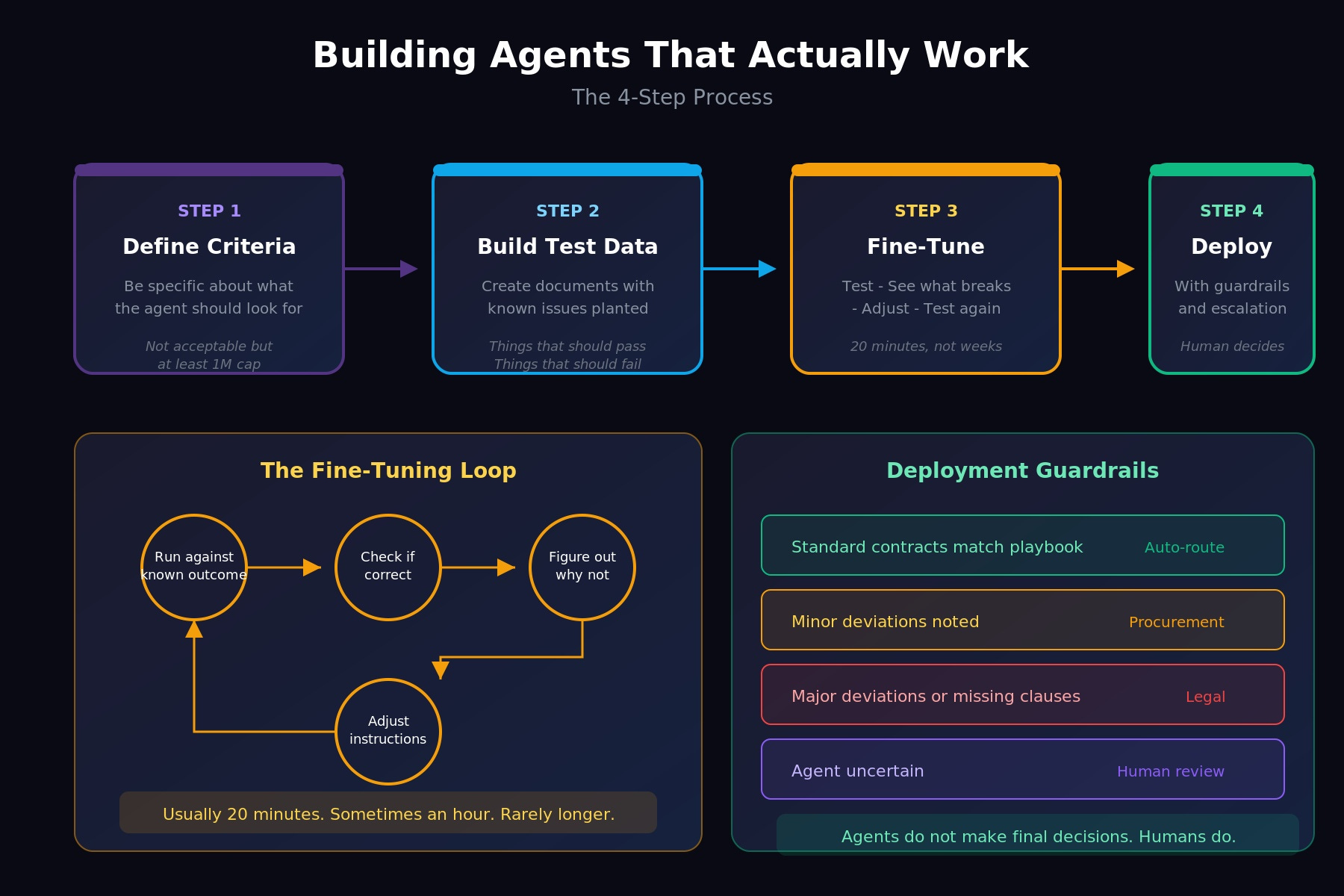
That’s it. Not more complicated than that. But each step has nuance that’s worth understanding.
Step 1: Define What You Want the Agent to Look For
This is where most people get stuck. Not because it’s technically hard, but because it requires you to articulate things you’ve never had to articulate before.
When you review a contract yourself, you’re drawing on years of experience. You know what “acceptable” looks like. You know which clauses matter and which ones don’t. You know when something feels off even if you can’t immediately explain why.
An agent doesn’t have any of that. It has whatever instructions you give it. Nothing more.
So “review this contract and tell me if it’s acceptable” doesn’t work. The agent doesn’t know what acceptable means to your organisation. It doesn’t know your risk tolerance. It doesn’t know which clauses are dealbreakers and which ones are preferences.
You have to be specific.
Not “check if the liability cap is acceptable” but “is the liability cap at least £1 million? If it’s uncapped, flag for legal. If it’s between £500K and £1M, note it as a minor deviation. Below £500K, recommend rejection.”
Not “review payment terms” but “are payment terms Net 30, Net 45, or Net 60? Anything longer than Net 60, flag. Anything requiring payment before delivery, reject.”
I have a contract review agent that checks 25 different clauses. Each one has specific criteria. What to look for. What counts as compliant. What counts as a deviation. What counts as a rejection trigger. The prompt is detailed because contracts are detailed.
Here’s what’s interesting: writing that prompt took a couple of hours. But I didn’t write it from scratch. I used Claude to help me structure it. I described what I wanted in plain language, and we refined it together until the instructions were precise enough.
If you’re not already using an LLM to help you write prompts for your agents, you’re making this harder than it needs to be. The irony of using AI to build instructions for AI isn’t lost on me. But it works.
Step 2: Build Test Data
Before any agent goes live, I create test documents with known issues.
For a contract review agent, that means contracts where I’ve deliberately included problems. A missing limitation of liability clause. An unusual indemnity provision. Payment terms that exceed our threshold. Auto-renewal with an unreasonably short notice period.
I know exactly what’s wrong with each test document. The question is whether the agent catches it.
This sounds obvious but most people skip it. They build the agent, run it against a real document, and hope for the best. Then they’re surprised when it misses something or flags the wrong thing.
The test data approach gives you confidence before you deploy. If the agent catches the planted issues, you know the instructions are working. If it misses something, you know exactly what to fix.
For vendor onboarding agents, the test data might be due diligence responses with incomplete answers, contradictory information, or red flags that should trigger escalation.
For document validators, it might be W-9 forms with mismatched TINs, expired insurance certificates, or SOC 2 reports with critical exceptions noted.
Whatever the agent is supposed to catch, plant examples of it in your test data. Then verify it actually catches them.
Step 3: Fine-Tune Based on What Goes Wrong
The non-compete bug I mentioned at the start? That came out of testing. I ran the agent against a contract I knew should pass. It failed. I looked at why. The agent had interpreted the non-compete clause as a restriction on us, not on the vendor.
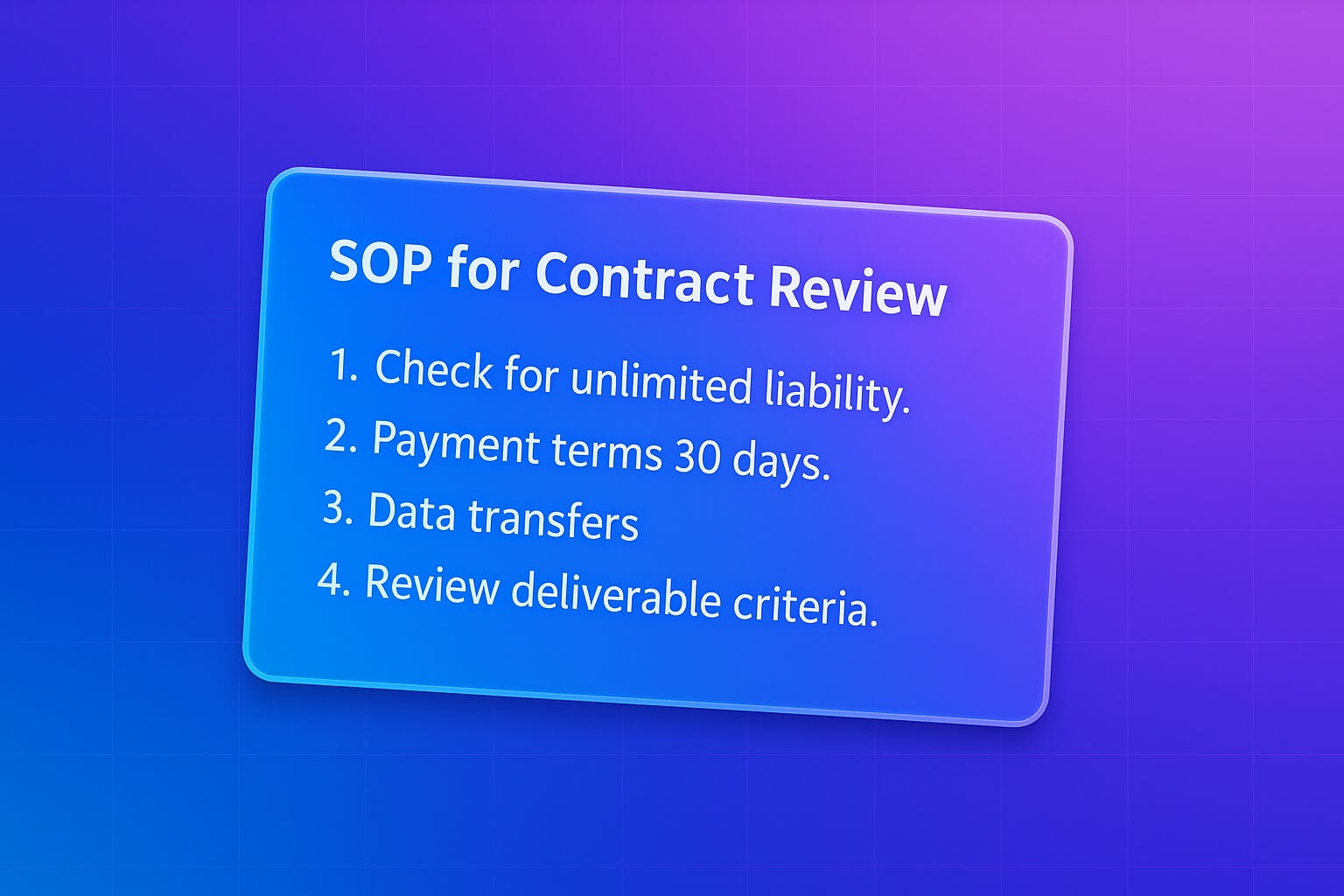
The fix was simple. I added a line to the prompt clarifying that we are the buyer, the vendor is the seller, and clauses that restrict the vendor’s behaviour are generally in our favour.
Twenty minutes. Not weeks. Not a major technical overhaul. Just a clarification.
I had another agent that reviewed procurement intake forms. It rejected a form that was completely filled out. The rejection message listed all these missing fields: requirement description, goods/services type, estimated contract value. But when I looked at the actual form, every single field was populated.
Turned out the agent was misreading the form structure. It was looking for fields in the wrong places. Another prompt adjustment, another fix.
The pattern is always the same:
1. Run the agent against something with a known correct outcome
2. See if it produces that outcome
3. If not, figure out why
4. Adjust the instructions
5. Test again
This loop usually takes 20 minutes. Sometimes an hour for something complex. Occasionally longer if there’s a fundamental issue with the approach. But I haven’t had an agent take weeks to refine in a long time. The models have gotten good enough that most issues surface quickly and fix easily.
Step 4: Deploy with Guardrails
Agents don’t make final decisions. That’s the principle.
They review. They flag. They recommend. They route. But the human decides.
In practice, this means every agent has escalation paths built in. Low confidence? Escalate to a person. Non-standard terms? Flag for legal. Above a certain contract value? Require senior approval regardless of what the agent recommends.
The agent handles the volume. You handle the exceptions.
For a contract review agent, that might look like:
- Standard contracts that match your playbook → auto-route to signature
- Minor deviations noted → route to procurement with summary
- Major deviations or missing critical clauses → route to legal with full analysis
- Anything the agent is uncertain about → route to human review
The agent isn’t replacing your judgement. It’s giving you the information you need to make faster, better-informed decisions. And it’s handling the 80% of cases that don’t actually need your expertise, so you can focus on the 20% that do.
The Mental Model That Changed Everything
I used to think about agents like software. You configure them, you deploy them, they run.

Now I think about them like junior employees. You train them. You test them. You give them feedback when they do something wrong. You refine their understanding over time.
Here’s a real example. Not procurement related, but it illustrates the point.
I built an agent in ClickUp to act as an executive assistant. My task management all runs through ClickUp, and I wanted an agent that could help manage blocked tasks. Tasks that are stuck waiting on something or someone.
The agent’s job was to identify blocked tasks and help me unblock them. Simple enough.
But here’s what it started doing: every time it found a blocked task, it would schedule an “unblock session” meeting. Not just with me. With multiple people across the business who might be involved. Just... setting up meetings. Constantly.
I didn’t want that. I wanted visibility into what was blocked. I wanted help thinking through how to unblock things. I didn’t want my calendar filled with meetings I hadn’t approved.
So I documented what was happening. Observed the behaviour for a week. Then refined the instructions.
Now the agent puts a dedicated session in my calendar every Friday to review all blocked tasks. Just me. No automatic meetings with other people. When I review the blocked tasks, I can ask the agent to find available times and set up specific meetings with the right people. But I’m in control of that decision.
The agent didn’t change. The instructions changed. Because I gave it feedback based on observing what it actually did versus what I wanted it to do.
That’s the feedback loop. That’s what “treating agents like junior employees” actually means. You don’t configure them once and forget them. You work with them. You notice when something isn’t right. You adjust.
How Long This Actually Takes
People ask me how long it takes to build an agent. The honest answer: it depends on how comfortable you are using AI tools.
If you’re already working with Claude or ChatGPT regularly, you can probably get a basic agent working in 10-20 minutes. Define what you want. Write the prompt with help from the LLM. Test it. Adjust. Done.
If you’re newer to this, it might take a couple of hours. Not because the work is harder, but because you’re building the muscle of articulating what you want clearly.
Either way, we’re talking hours. Not days. Not weeks.
The agents I’ve built that took the longest weren’t complicated. They were agents where I didn’t fully understand what I wanted until I saw what the agent produced. The iteration helped me clarify my own thinking.
That’s actually one of the underrated benefits of building agents. The process of writing instructions forces you to articulate how you actually make decisions. What you actually look for. What actually matters. That clarity is valuable even beyond the agent itself.
Where People Go Wrong
The most common mistake I see: people try to build agents without understanding what agents actually are.
They think of them as search tools. Or chatbots. Or automation rules. So they give them vague instructions and expect magic.
If you haven’t read the piece I wrote a few weeks ago on what AI agents actually are, start there. The Perceive → Reason → Plan → Act framework matters. Understanding that agents need specific instructions, clear criteria, and defined escalation paths matters.
You can’t build something you don’t understand.
The second most common mistake: trying to build an agent for a process that doesn’t exist yet.
If you don’t have a documented approach to contract review, you can’t tell an agent how to review contracts. If you don’t have criteria for what makes a vendor acceptable, you can’t tell an agent to assess vendors.
Agents automate your thinking. They don’t replace it. You have to know what you think first.
Getting Started
If you’re ready to build your first agent, here’s what I’d suggest:
Pick something small. A single document type. A single review task. Something where you can clearly articulate what “good” looks like and what “bad” looks like.
Write out the criteria you use to evaluate it. Be specific. Not “check if it’s compliant” but the actual questions you ask when you review it yourself.
Create a few test documents with known issues. Things that should pass. Things that should fail. Edge cases.
Build the agent. Test it. See what happens. Adjust.
You’ll learn more from that first build than from any amount of reading about agents in the abstract. Including this article.
What’s the first agent you’d build? I’m genuinely curious. Reply and let me know.